
⚡
Dynamic Data Collection
Load only the sections needed for the property. Add rows, images, outbuildings, ADUs, vehicle storage, and other property details without forcing a rigid form.
FieldHawk Inspection is a dynamic inspection web app fully integrated with NightHawk, designed to help appraisers capture structured UAD 3.6 property data directly at the property. Add sections as needed, collect photos, complete sketch details, and keep the inspection organized from start to finish.
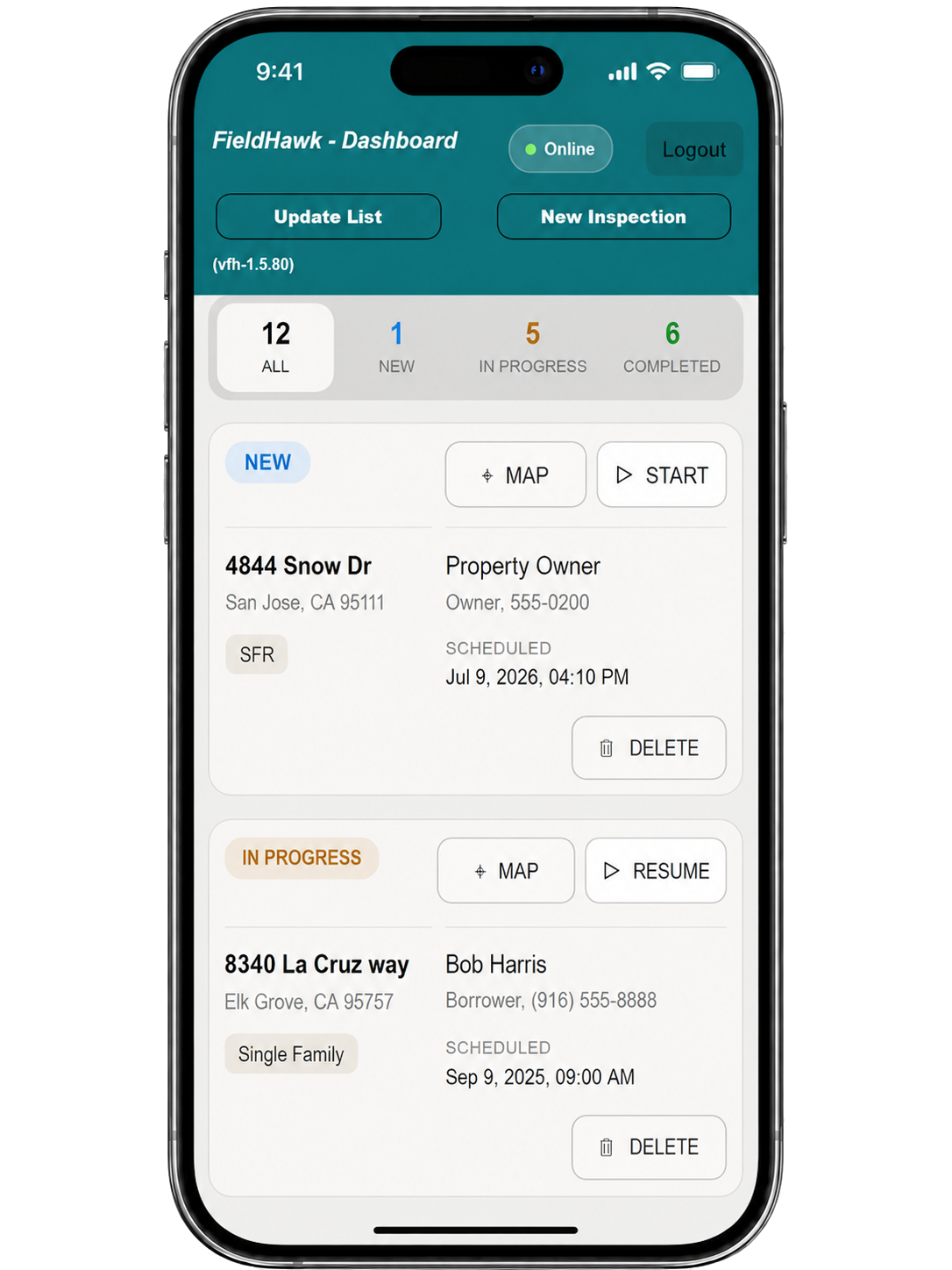
Explore the dashboard, dynamic inspection modules, sketch workflow, section manager, photo exhibits, defects tracking, and field-ready UAD 3.6 data collection experience.
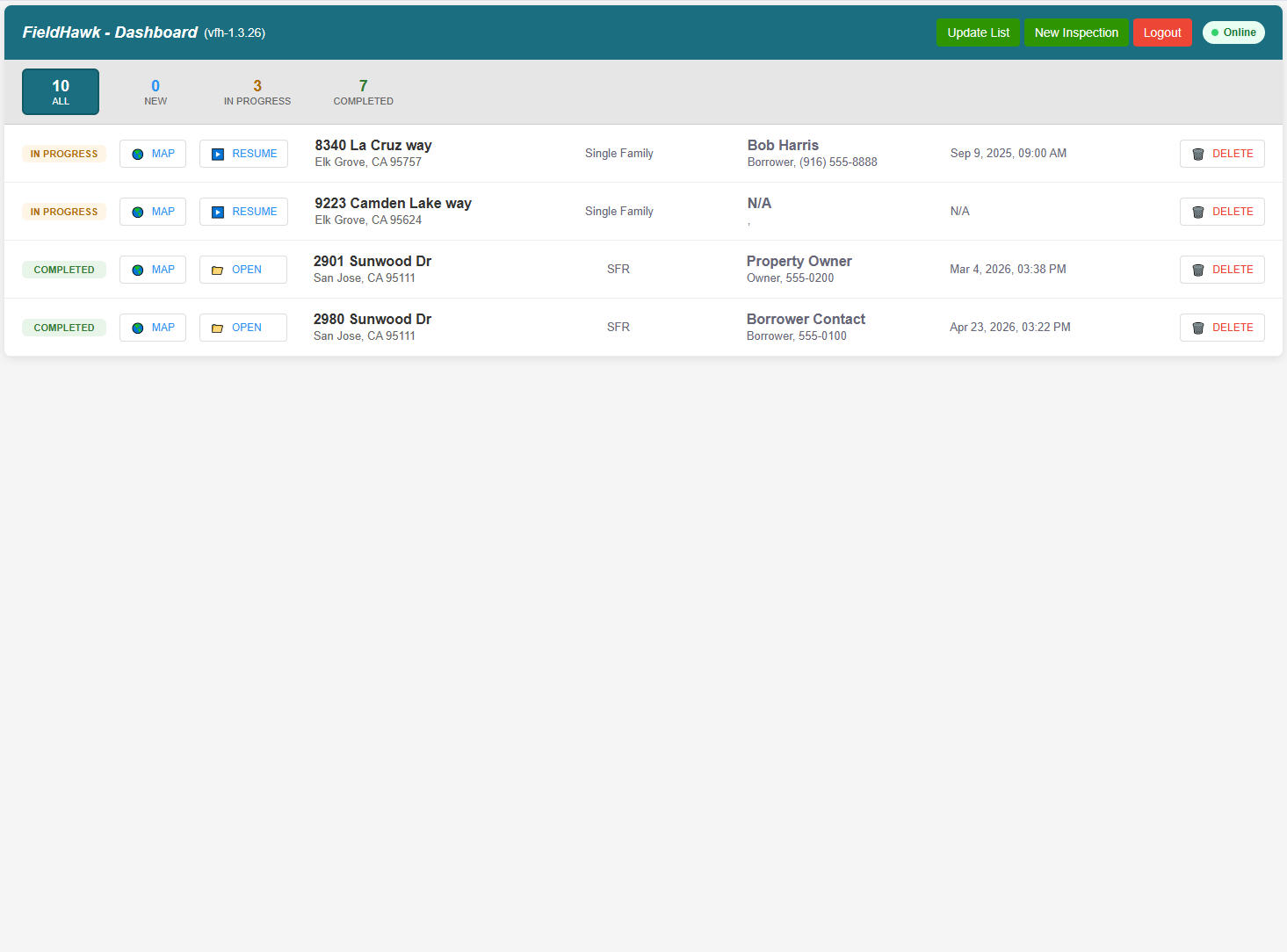
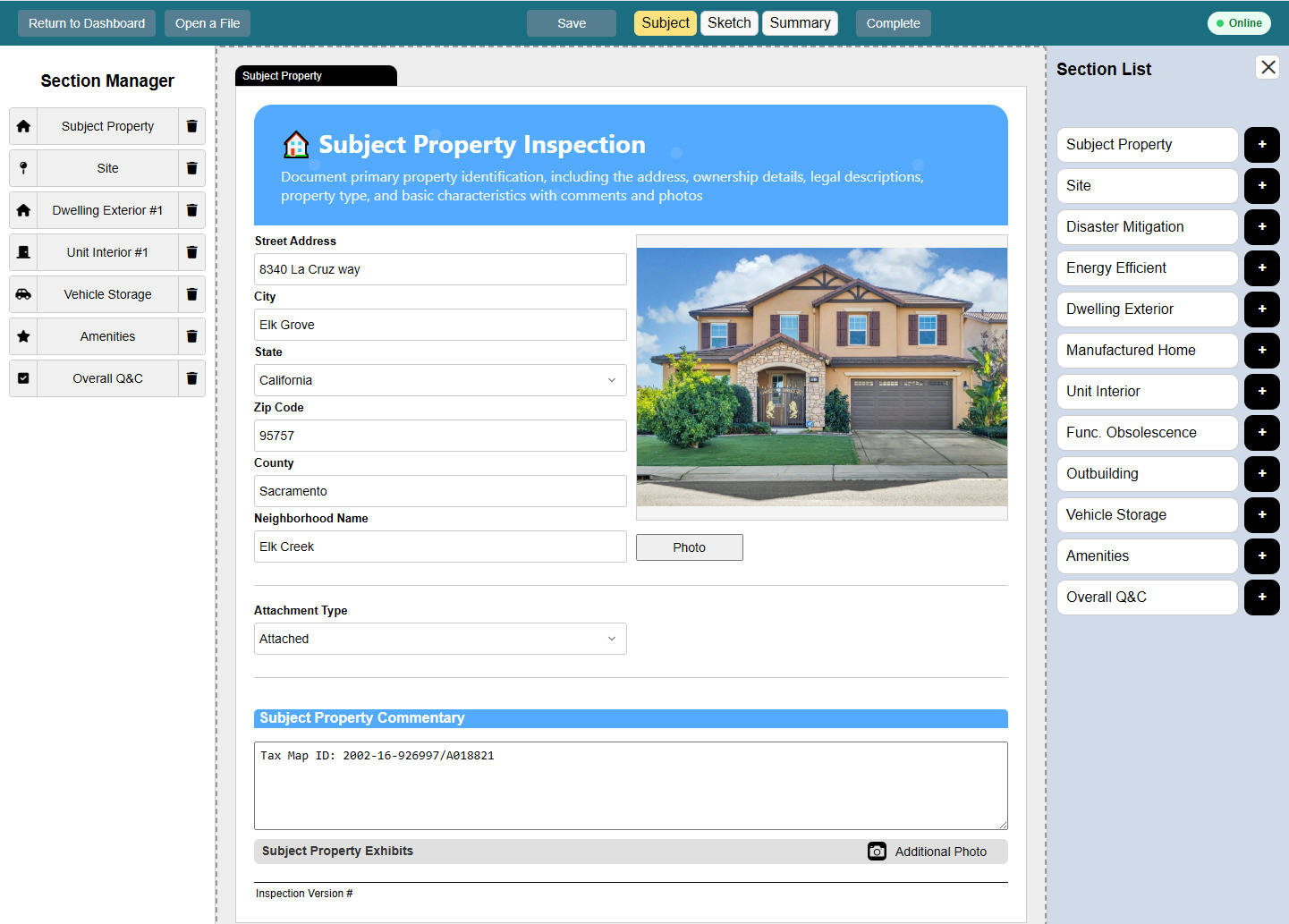
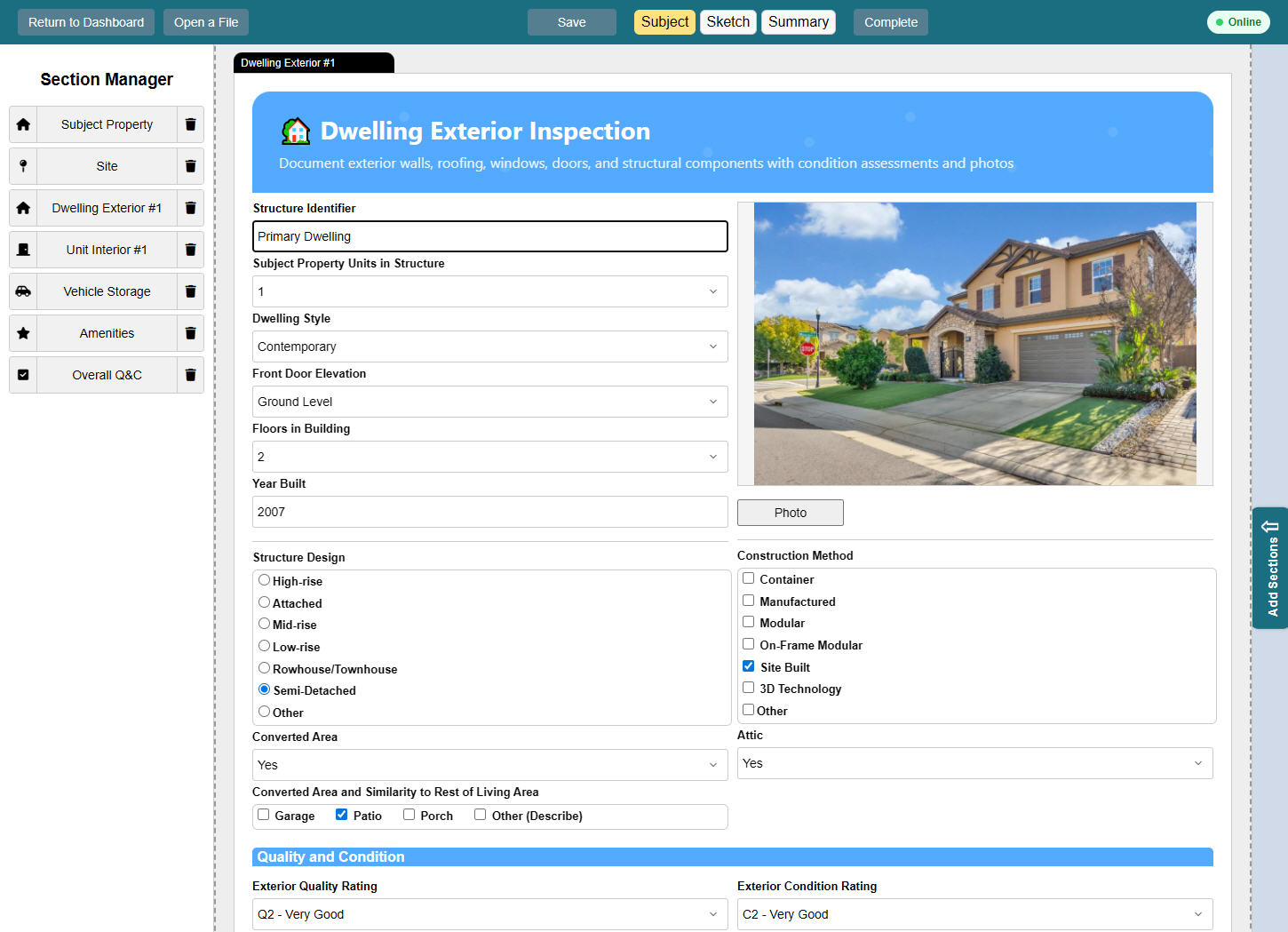
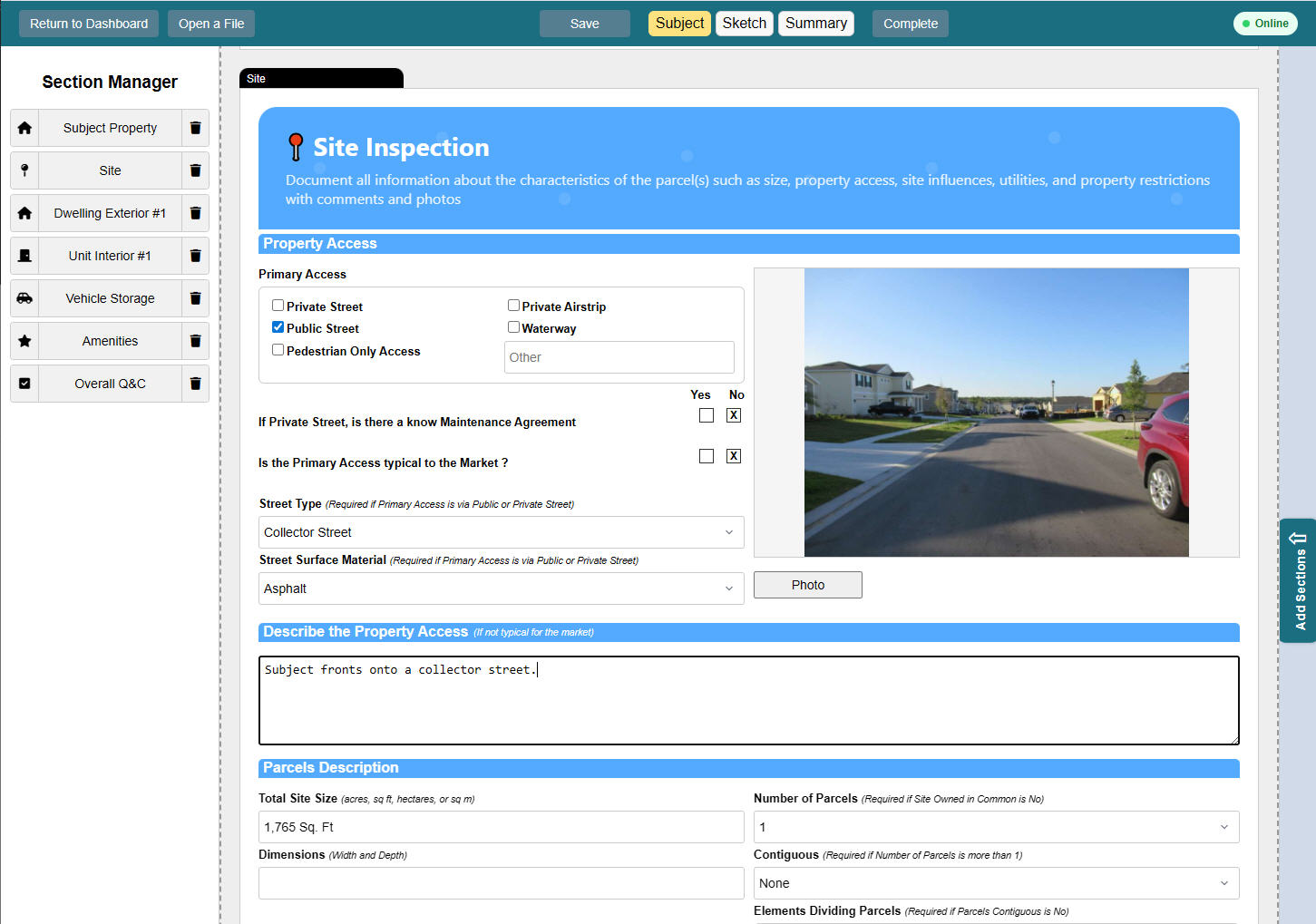
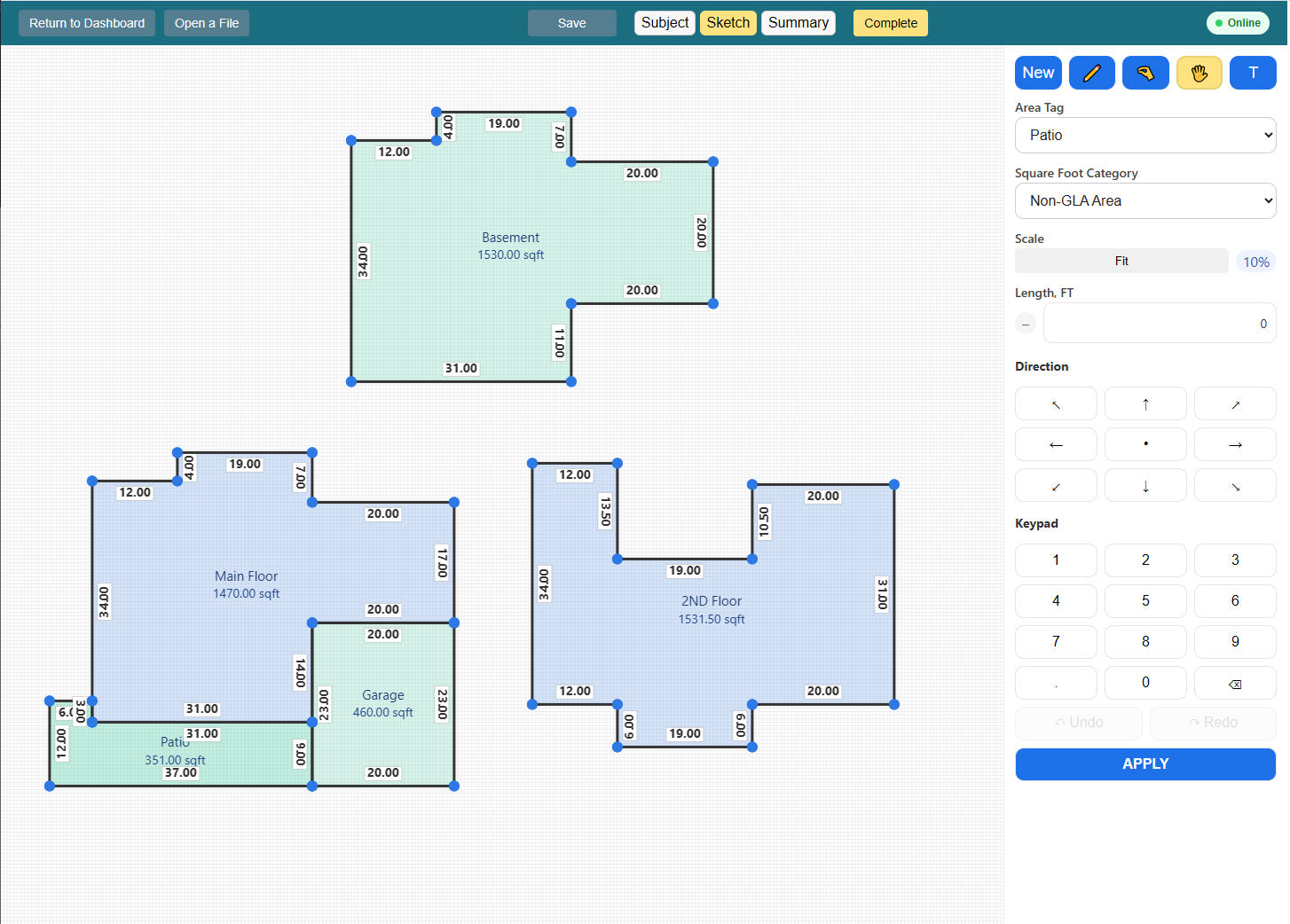
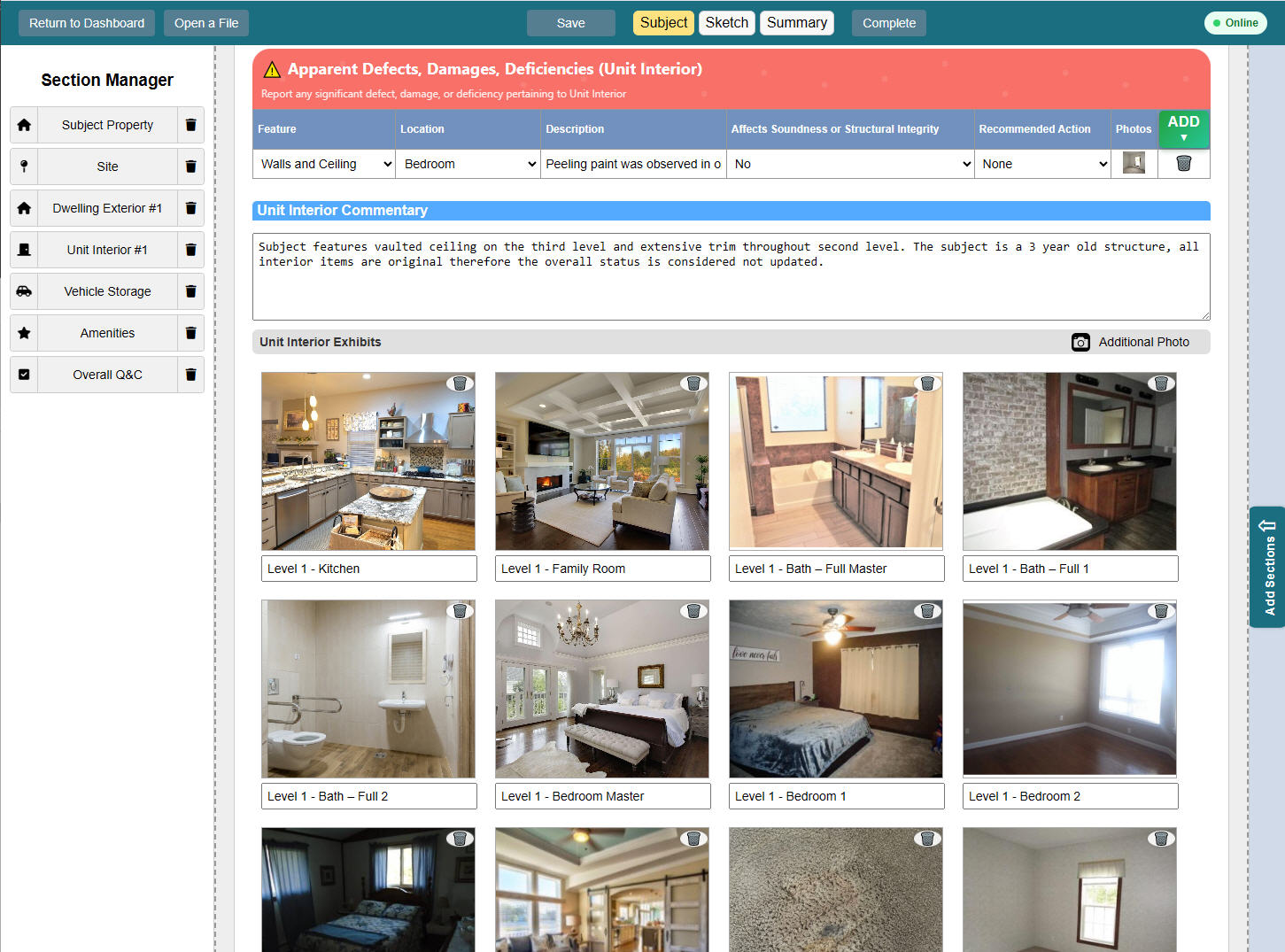
Field Hawk is designed around real inspection work: fast input, flexible sections, photos in context, and structured data ready for modern appraisal workflows.
Load only the sections needed for the property. Add rows, images, outbuildings, ADUs, vehicle storage, and other property details without forcing a rigid form.
Capture or upload photos directly inside the related section, helping users connect images to the correct inspection item instead of sorting them later.
Support sketch notes, area references, room layout details, and property structure information so field observations stay connected to the inspection record.
Use Field Hawk as a browser-based web app that can be installed on supported iPhone, iPad and Android devices for quick access from the home screen.
Subject property, site, dwelling, unit, vehicle storage, outbuilding, manufactured home, amenities, and disaster mitigation can be organized as modular blocks.
Field Hawk connects with the NightHawk workflow so collected field data, photos, sketch details, and UAD 3.6 inspection sections can move smoothly into the appraisal production process.
Start with the subject property, add only what applies, document each area with photos, and keep the structure of the property clear from the beginning.
Start a new property file and enter the core subject property information.
Bring in site, dwelling, unit, vehicle storage, outbuilding, ADU, amenities, or other modules only when they apply.
Attach photos, sketch notes, area details, and field observations directly to the matching section.
Review missing fields, organize photos, and prepare structured data for the next reporting or UAD 3.6 workflow.
Field Hawk helps organize inspection details in a way that supports cleaner downstream reporting, review, and data consistency.
Field Hawk can work as an installable web app, giving users fast home-screen access without needing a traditional app store deployment for every update. Scan the QR code to open Field Hawk and install it on your device.
 Scan to Install
FieldHawk Inspection gives appraisers a faster, cleaner way to collect UAD 3.6 property data, capture photos, document sketch details, and organize everything before the report is built — fully connected with NightHawk for a smoother production workflow.